








Projects
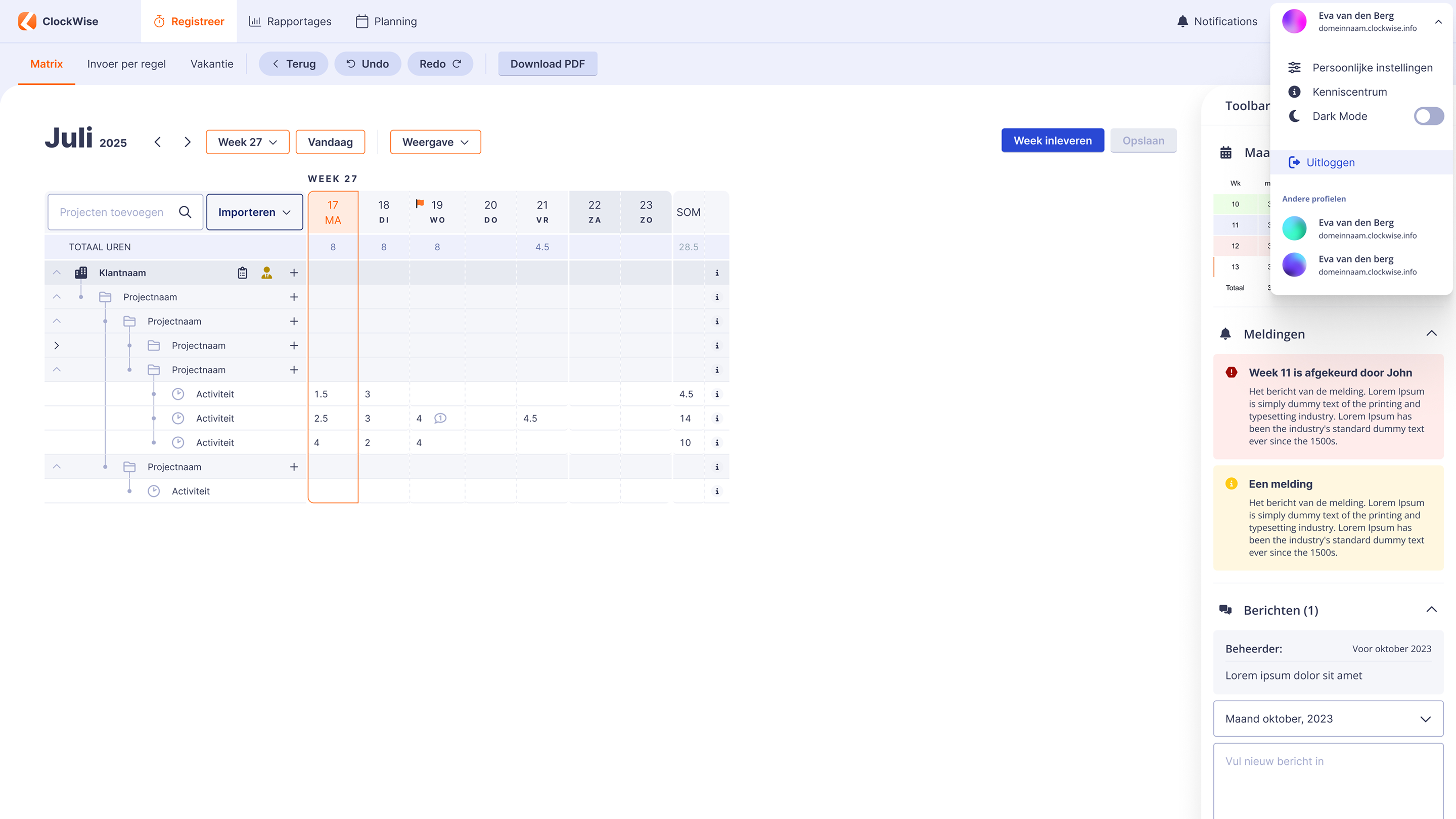
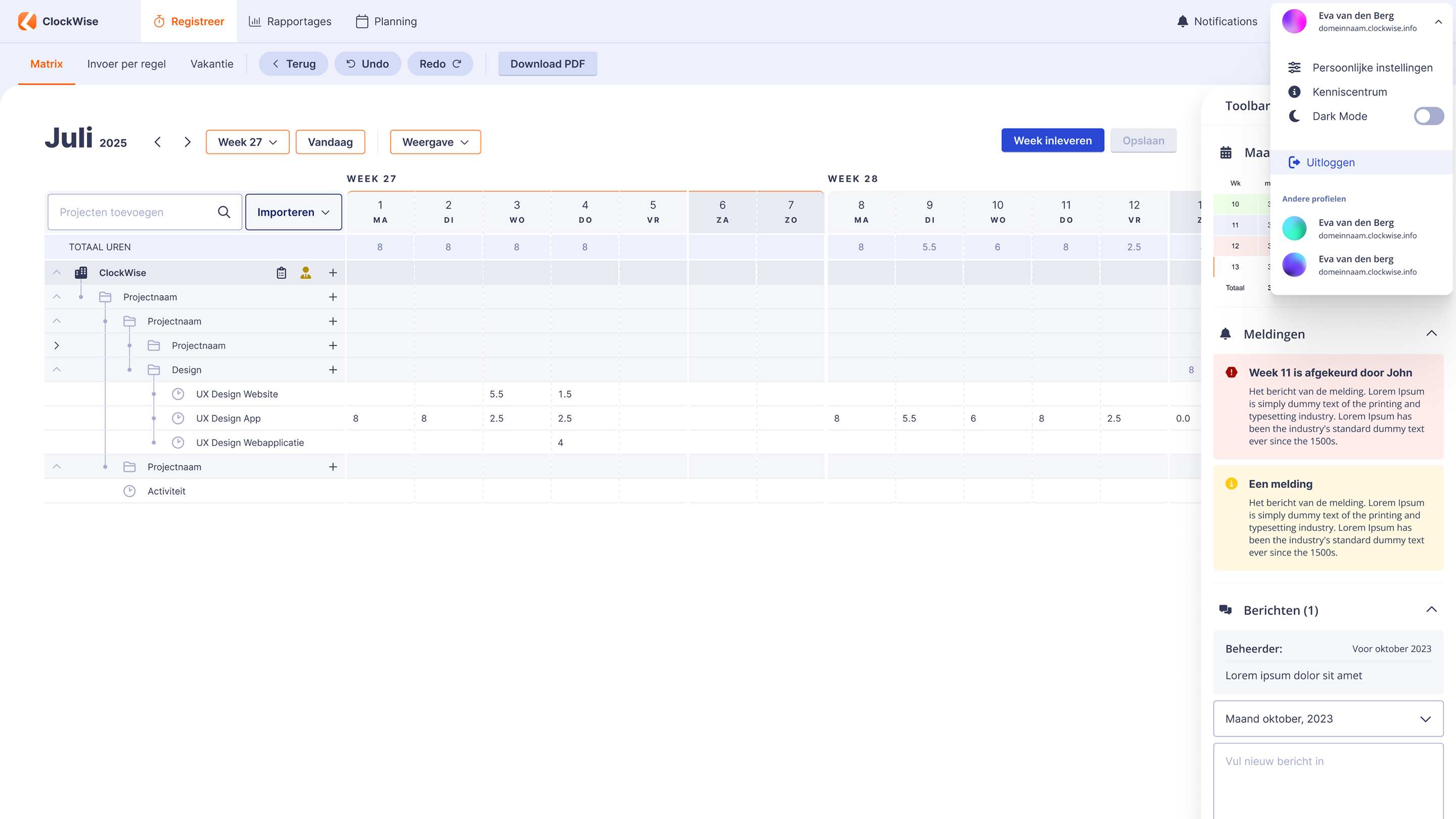
On the left side of the hours registration screen, you see a clear structure of the projects on which you can write hours.
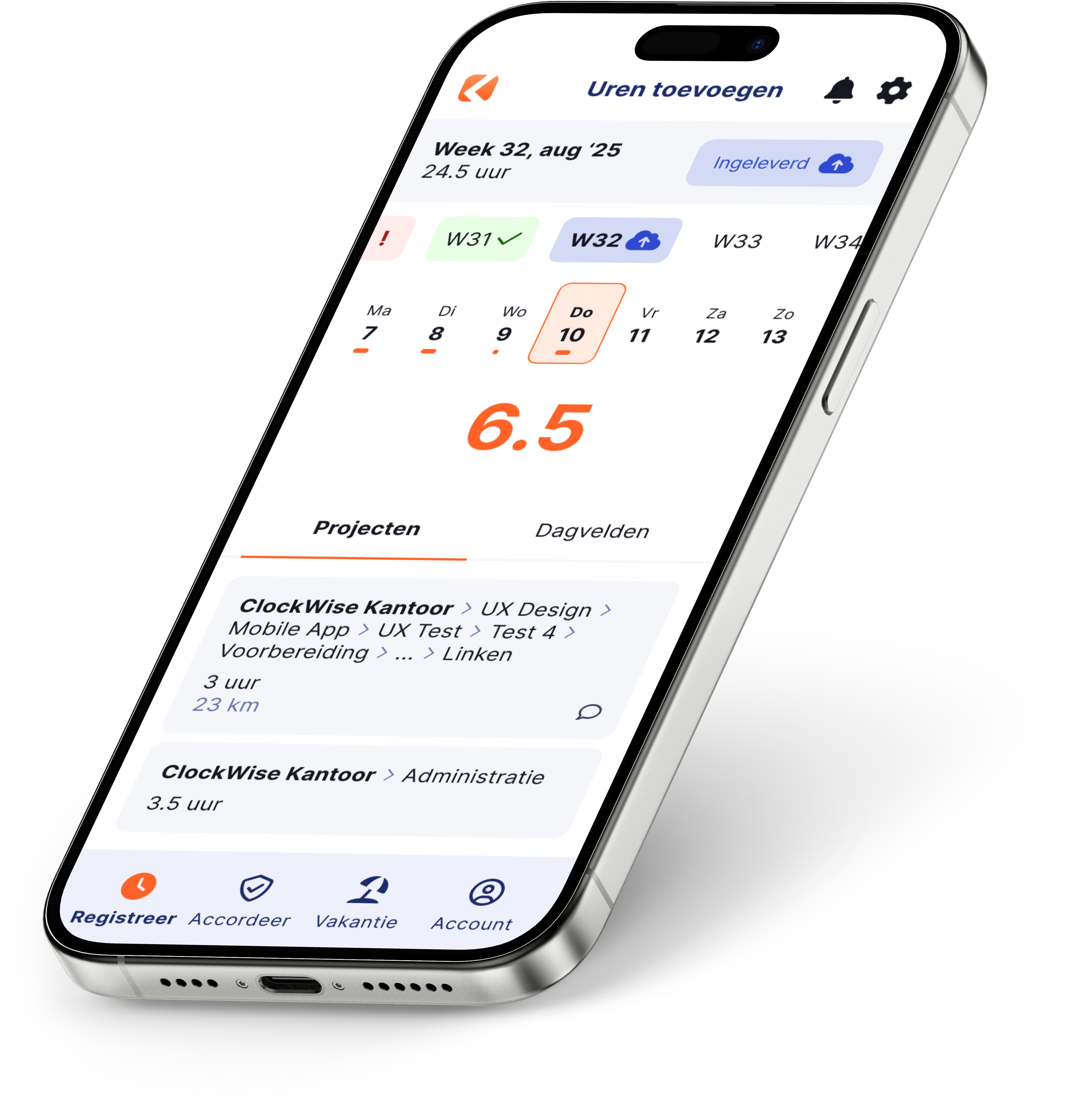
You can enter your hours in the web app or the mobile app with ClockWise. If you have many projects, you can search through all projects or open the full list and select a project from there. This way, you always have an overview of where you can log your hours. You can also immediately see any new projects.

Easy writing
Easy submitting
Via browser or app
Writing hours
ClockWise makes it easy

Projects
On the left side of the hours registration screen, you see a clear structure of the projects on which you can write hours.

Writing hours and submitting
When you are done writing at the end of a week or month, you can submit your hours. After that, the hours can be further processed.


Search projects to write hours
Easy with many possibilities

Search projects
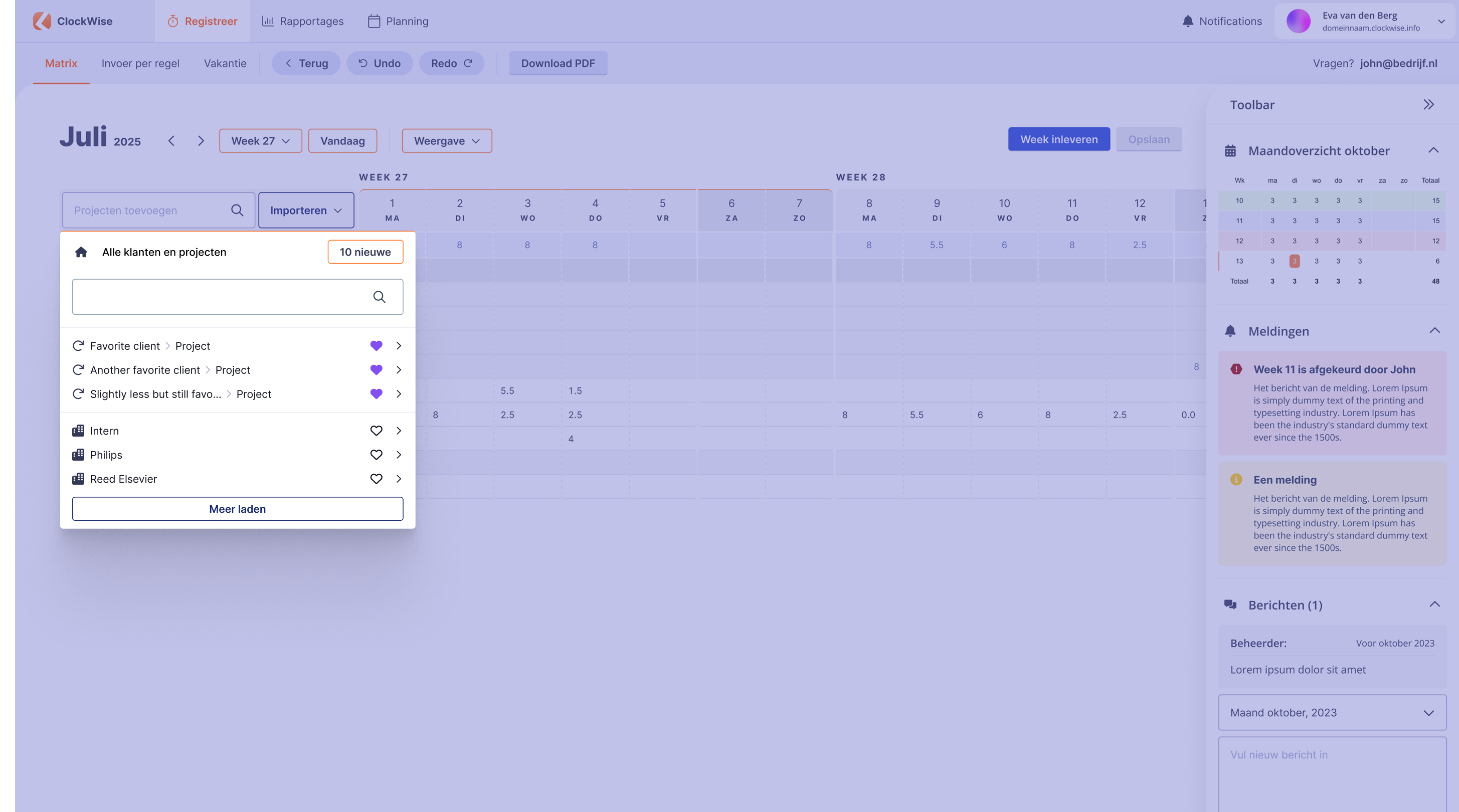
If you have many projects and your project is not directly visible, you can search in the project selector. If a new project has started, it is immediately visible.
Projects you write on more often can be marked as favorite projects. Recent projects are immediately visible on the screen.
Our toolbar provides a compact overview
Such as rejected hours
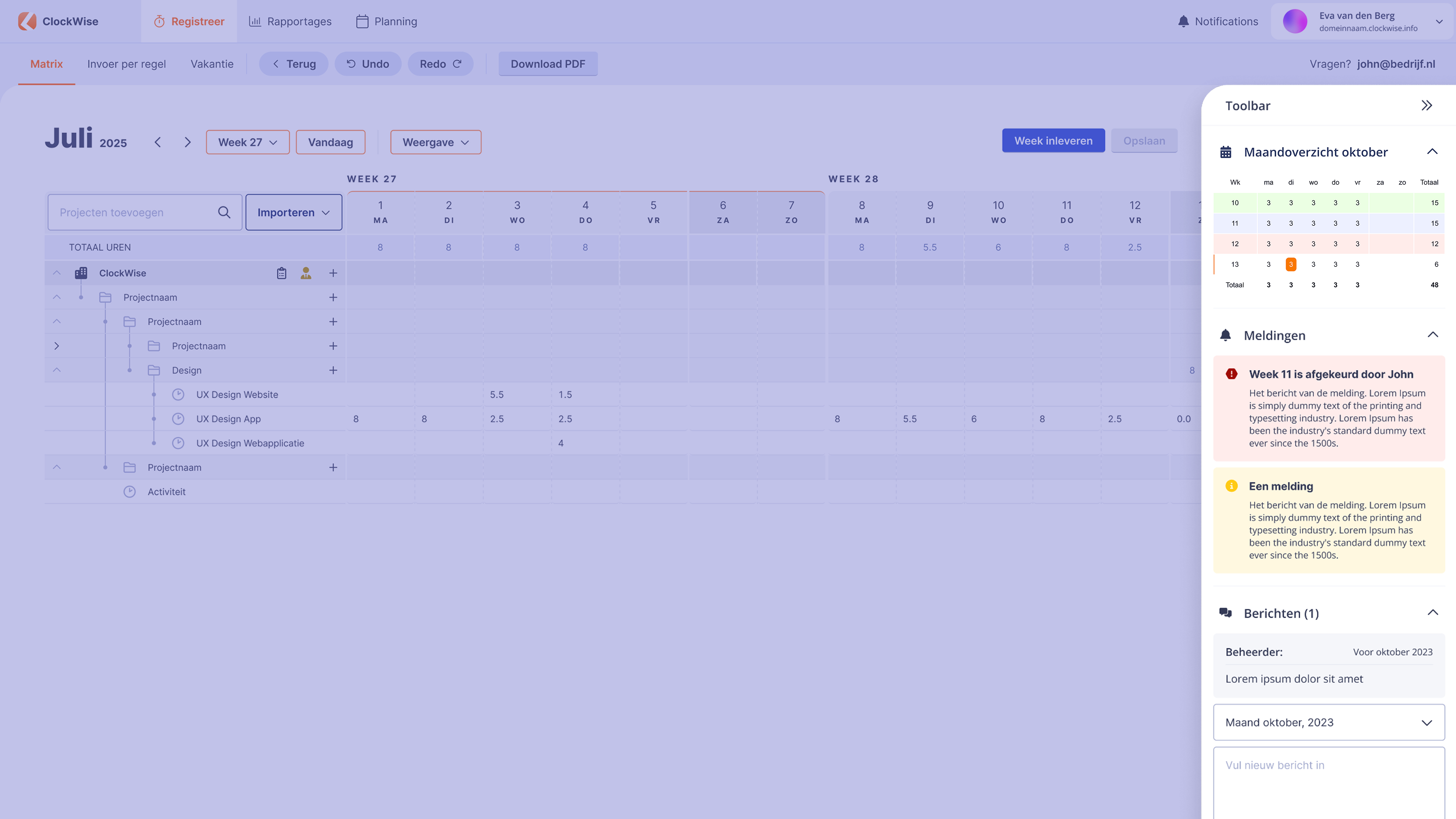
Toolbar
In the toolbar, you can see the status of your hours. If they are approved, they are green.
It is immediately clear if a week has been rejected. You can see right away that you still need to do something.
More comfort in the dark days
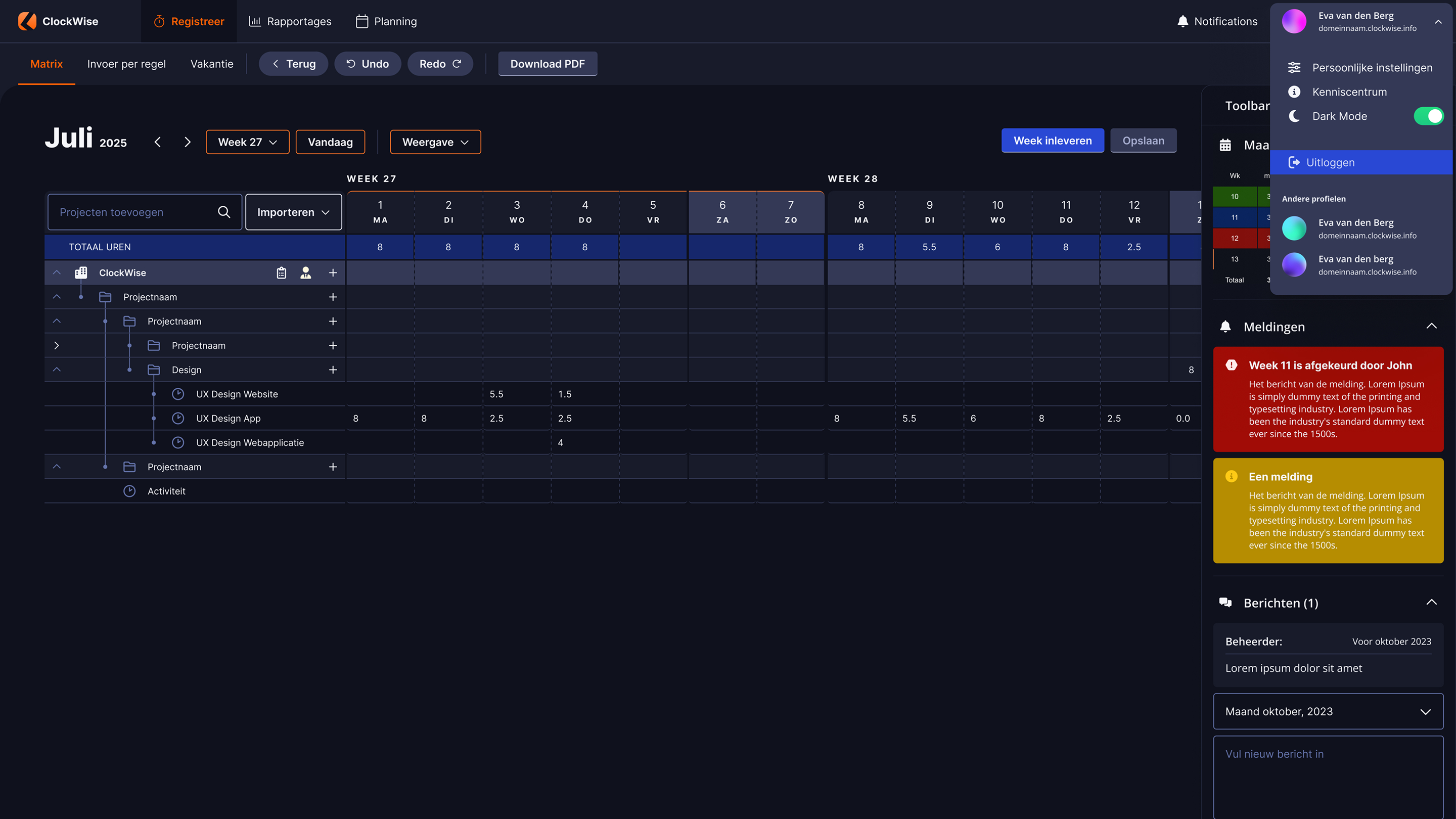
Dark mode helps your eyes relax

Dark mode
Dark mode provides a calmer visual experience in dark environments, but of course it can also just be a personal preference.
Moet ik de urenregistratie verplicht bijhouden?

Is overstappen naar ClockWise ingewikkeld?
Welke service biedt ClockWise?
Heeft ClockWise een kenniscentrum ?
Wat levert urenregistratie mij op?
Waarom is urenregistratie belangrijk bij R&D-projecten?
Kan ik iDEAL-betaallinks in mijn facturen gebruiken?