Requesting holiday? Arrange it with ClockWise!

Do you spend more time keeping track of leave balances than looking forward to your own holiday? We can well imagine that. Managing leave requests can be time-consuming, especially when your employees keep asking the same questions: "How many days of leave do I have left?", or "Where do I submit my leave?" ClockWise makes this process a lot simpler and clearer.

Simple to request

Simple to approve

Overview

Calendar and toolbar

A compact overview

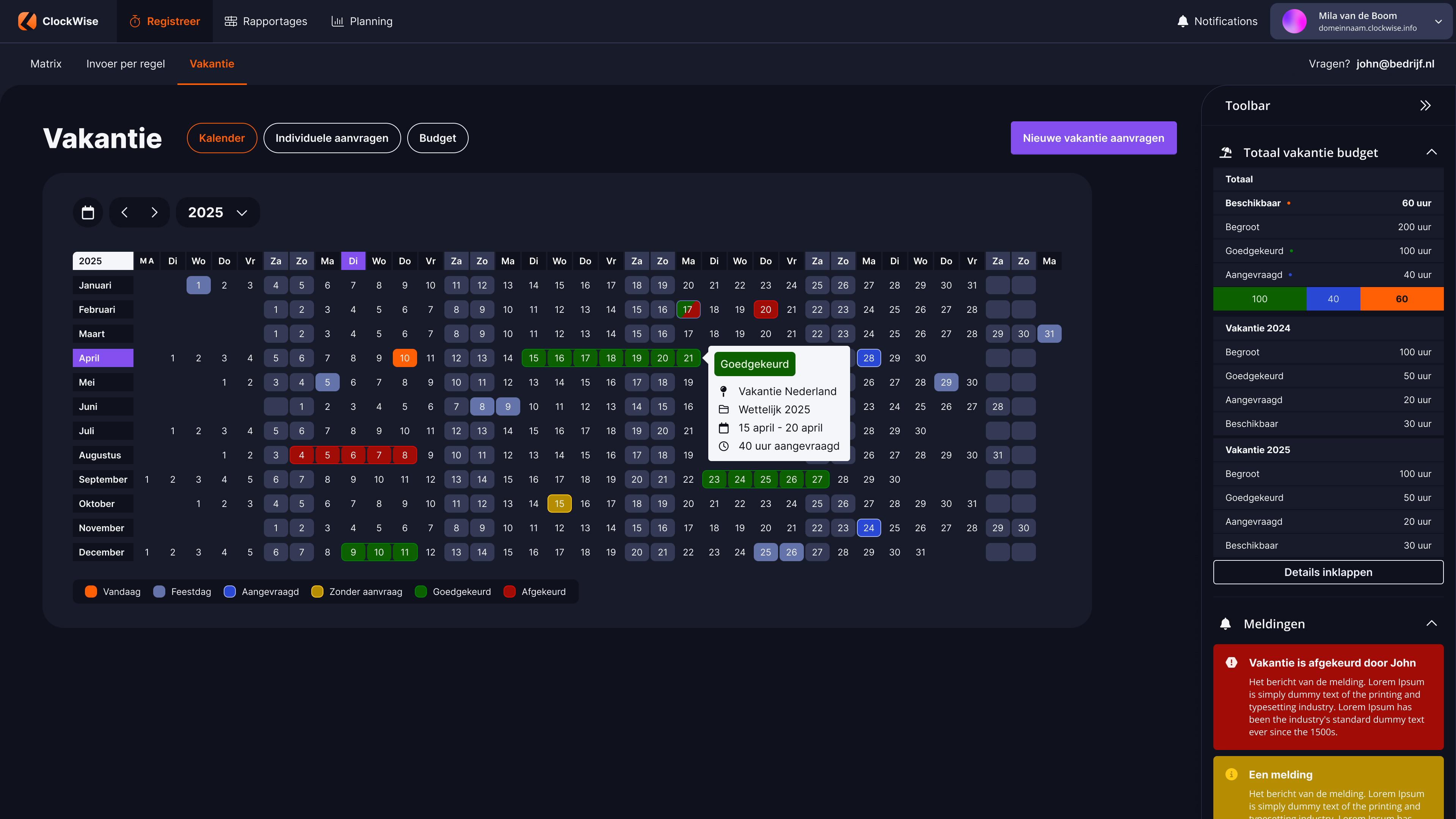
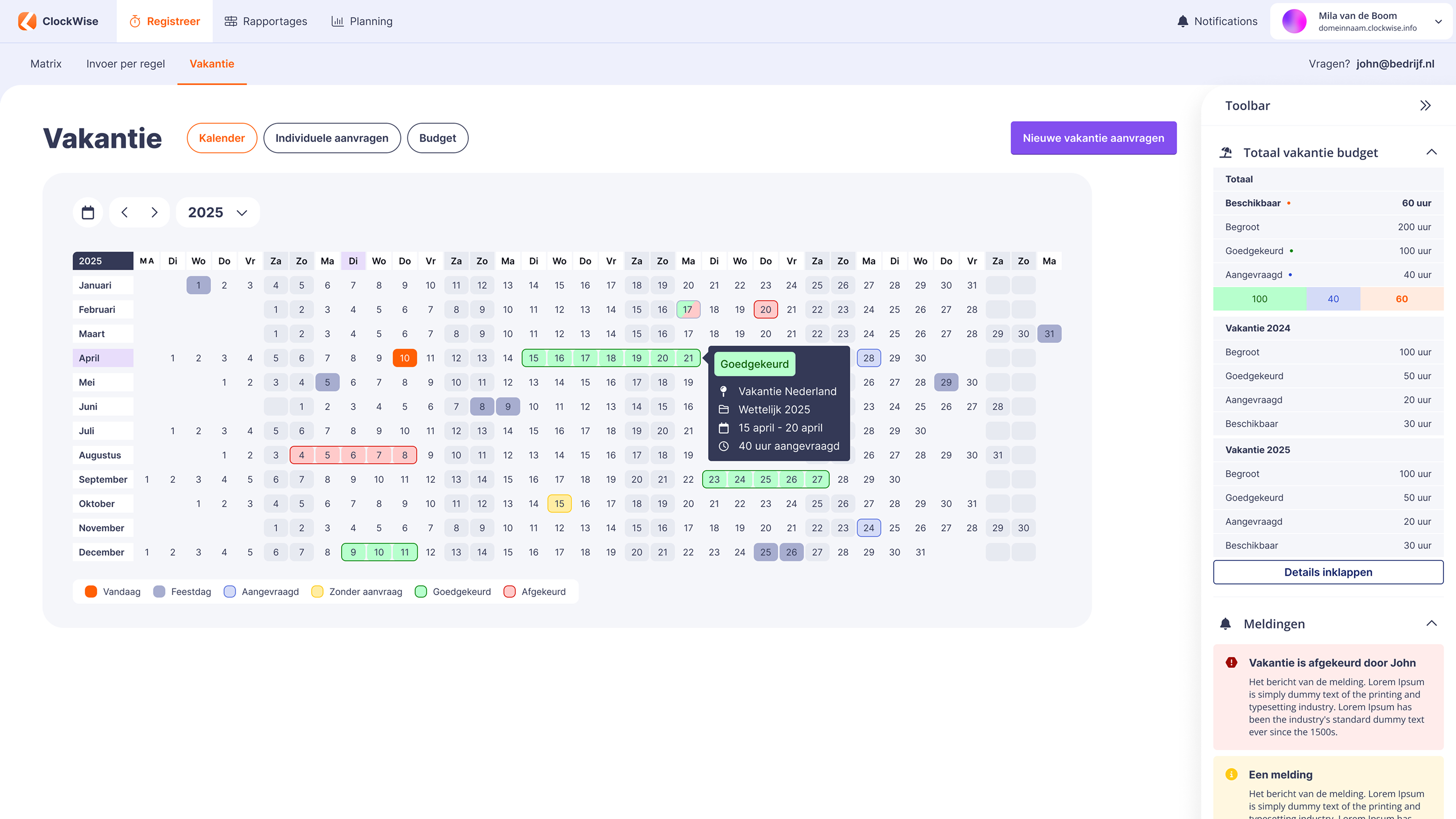
Calendar

The calendar gives you a yearly overview of all submitted requests, including their status: approved, rejected or requested (being processed).

Toolbar

Our toolbar gives you immediate insight into your total leave budget. See at a glance how much you still have available.

Requesting leave

Step by step

Pop-up

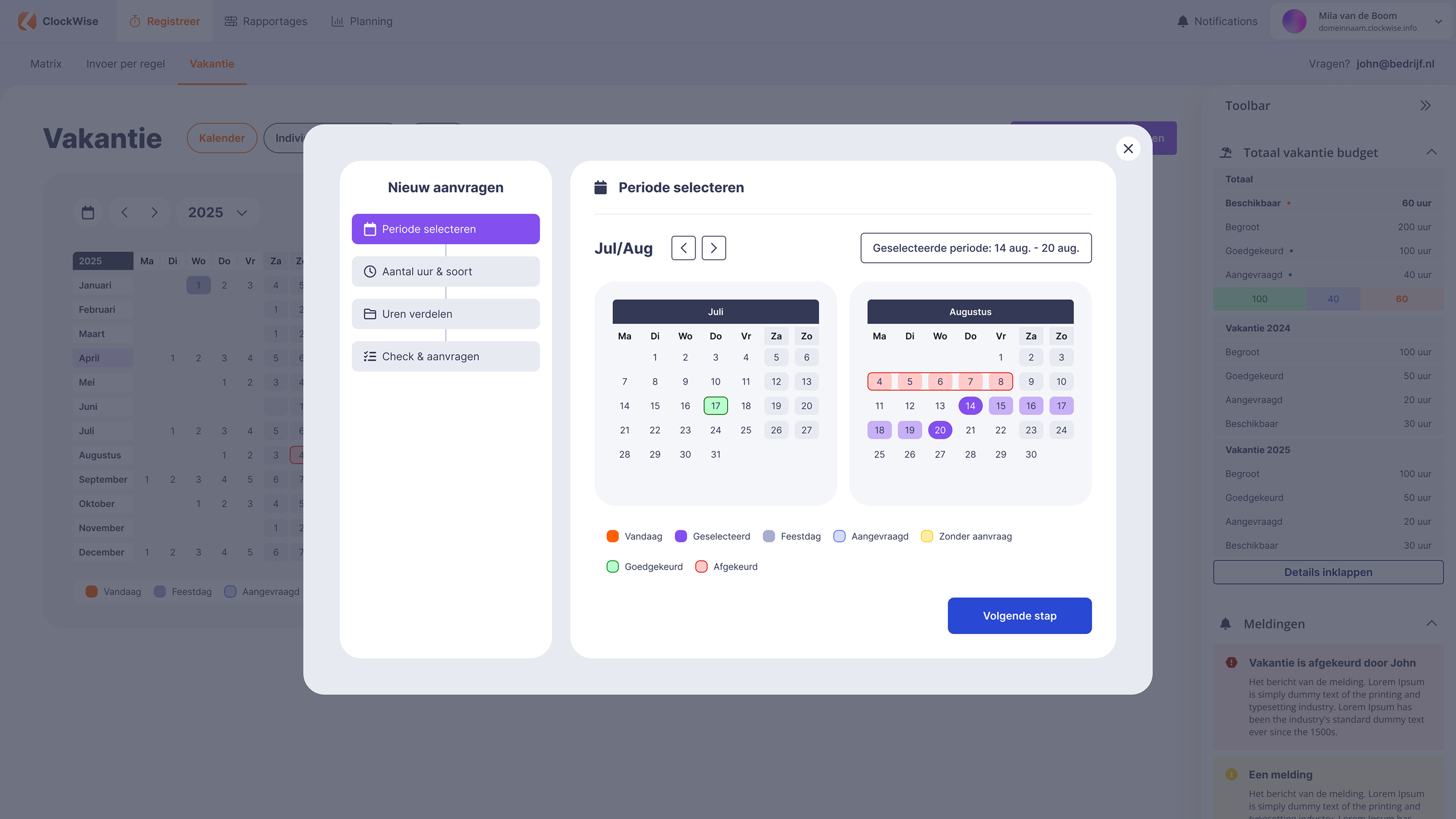
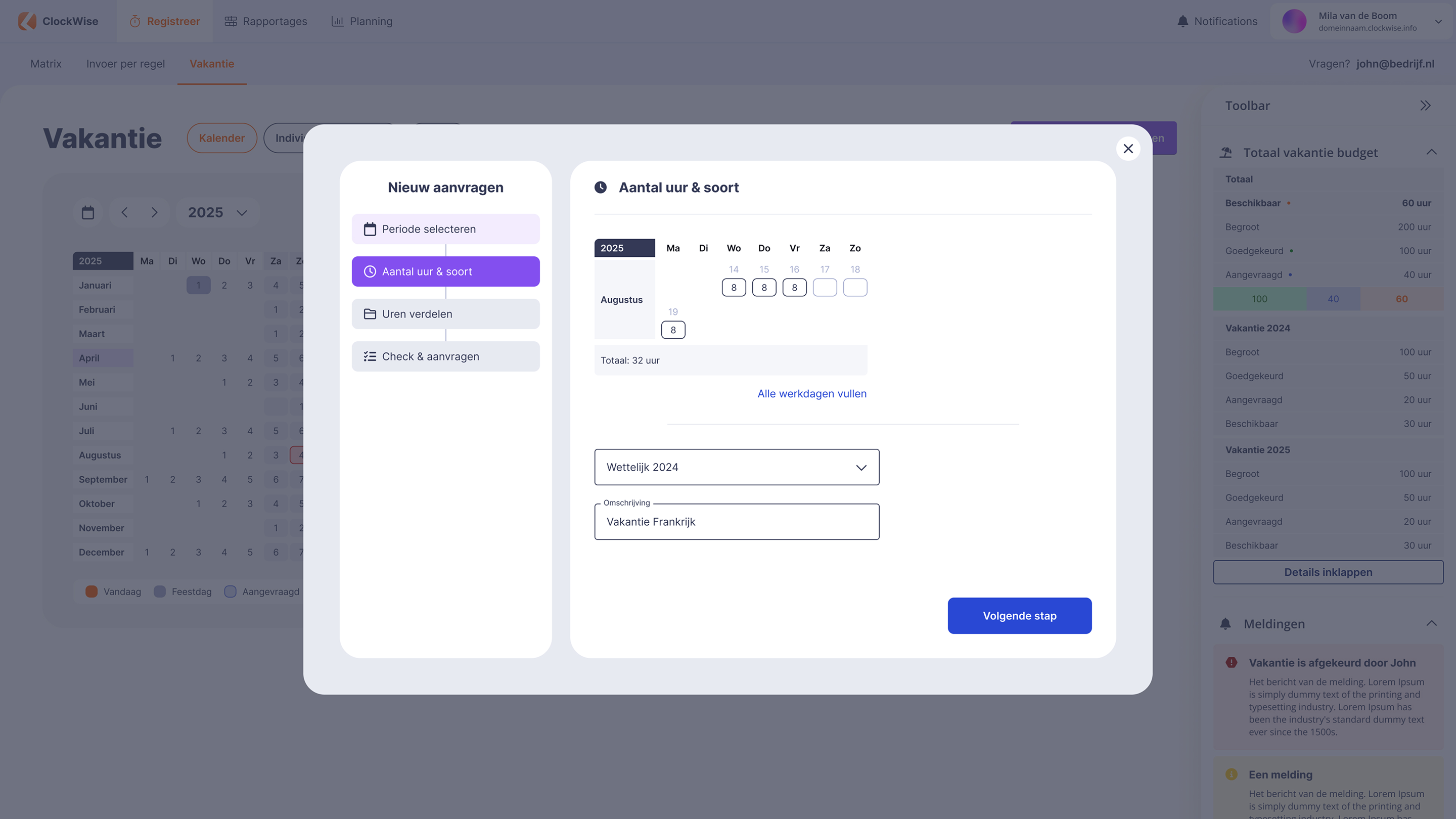
Requesting holiday or leave is simple with ClockWise. You are guided through the process step by step. First select the period you want and indicate how many hours it involves, and ClockWise deducts them from your leave budget automatically. Finally you only have to check and submit, and it is arranged.

Pop-up

Requesting holiday or leave is simple with ClockWise. You are guided through the process step by step. First select the period you want and indicate how many hours it involves, and ClockWise deducts them from your leave budget automatically. Finally you only have to check and submit, and it is arranged.

Pop-up

Requesting holiday or leave is simple with ClockWise. You are guided through the process step by step. First select the period you want and indicate how many hours it involves, and ClockWise deducts them from your leave budget automatically. Finally you only have to check and submit, and it is arranged.

Pop-up

Requesting holiday or leave is simple with ClockWise. You are guided through the process step by step. First select the period you want and indicate how many hours it involves, and ClockWise deducts them from your leave budget automatically. Finally you only have to check and submit, and it is arranged.

Individual requests

All your requests together

Individual requests

Everything you have ever requested is neatly gathered in the overview of your individual requests. That way you have insight into your own history.

Budget

Insight into your leave hours

Budget

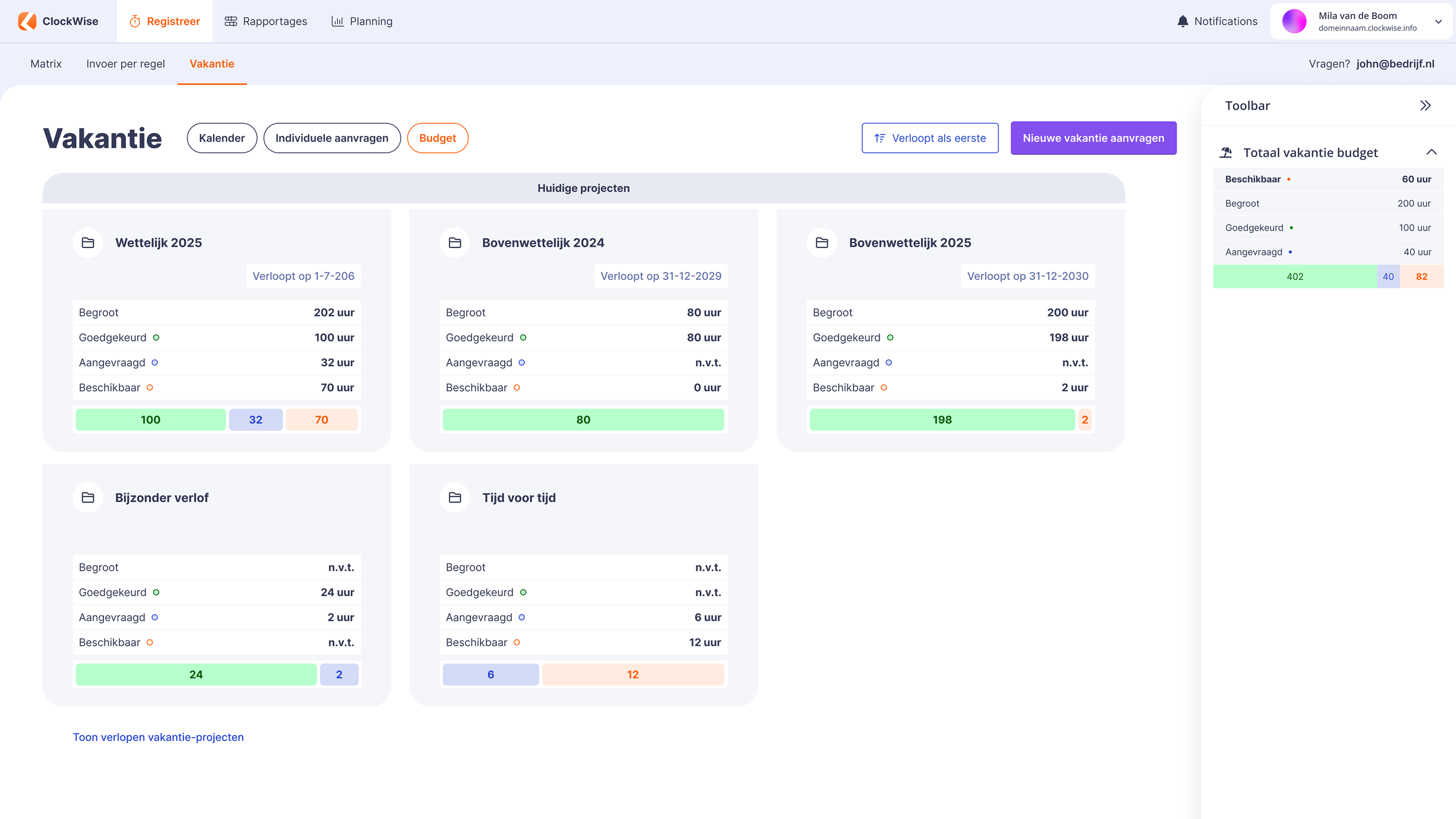
Under the budget heading you can see exactly how your leave budget stands, because all the pots are listed together. That way you know exactly how much you can still take and how long you can still use it.

Yearly overview

The year at a glance

Yearly overview of the holiday card

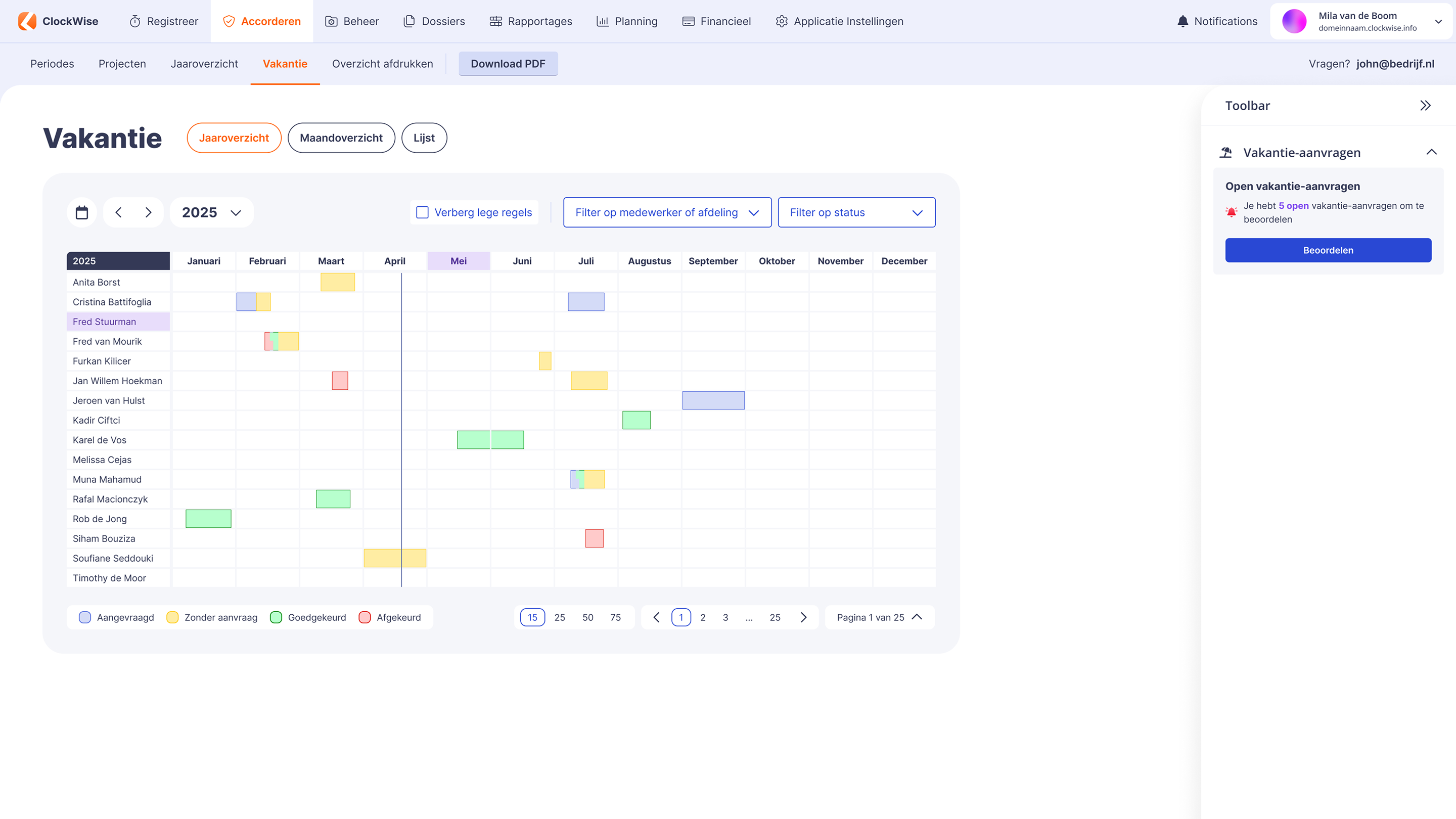
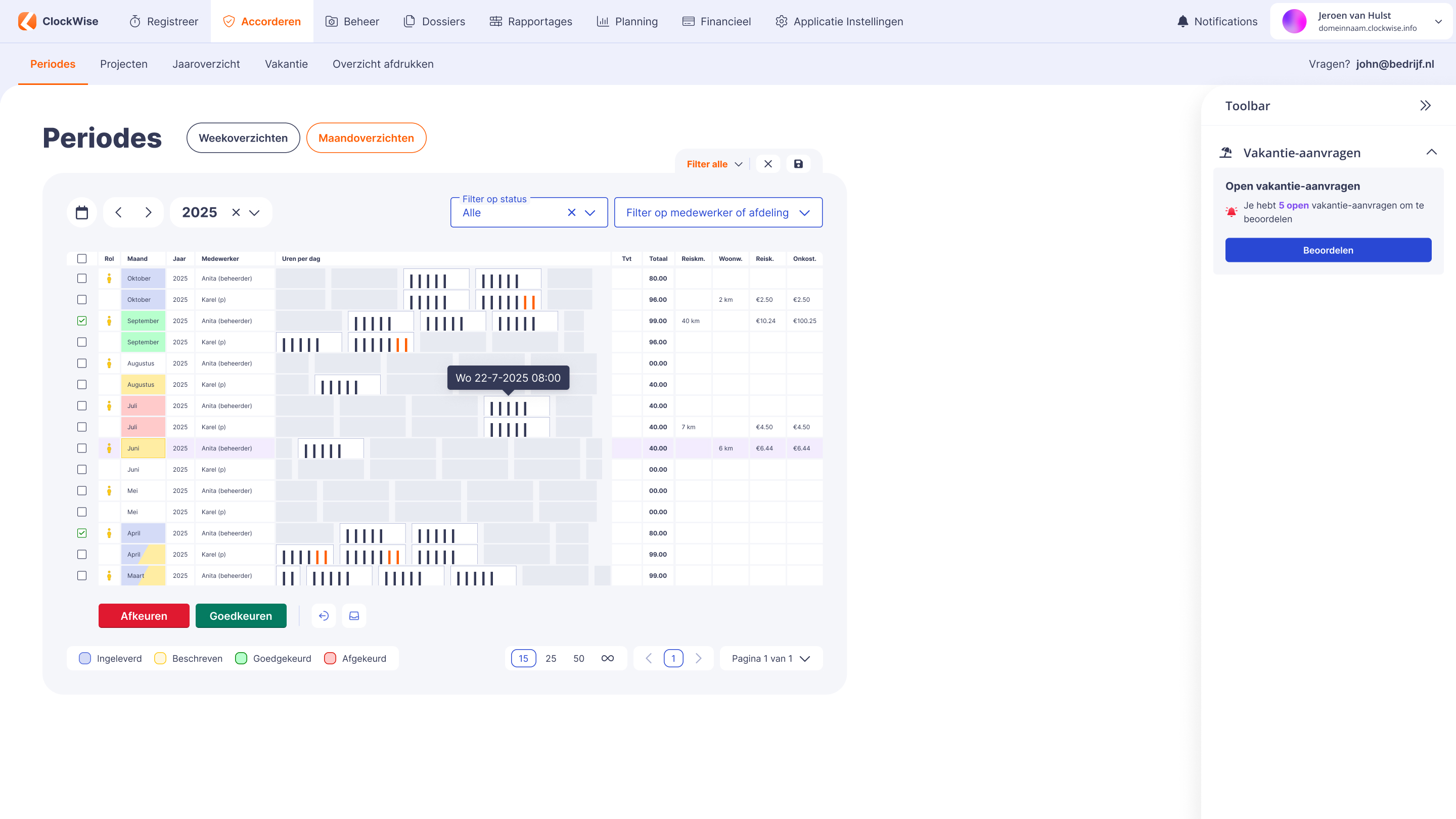
As an administrator you have insight into your employees' holidays in several ways. The yearly overview shows you every request at a glance, including its status. You can easily filter by status and by employee, so you quickly find what you are looking for.

Monthly overview

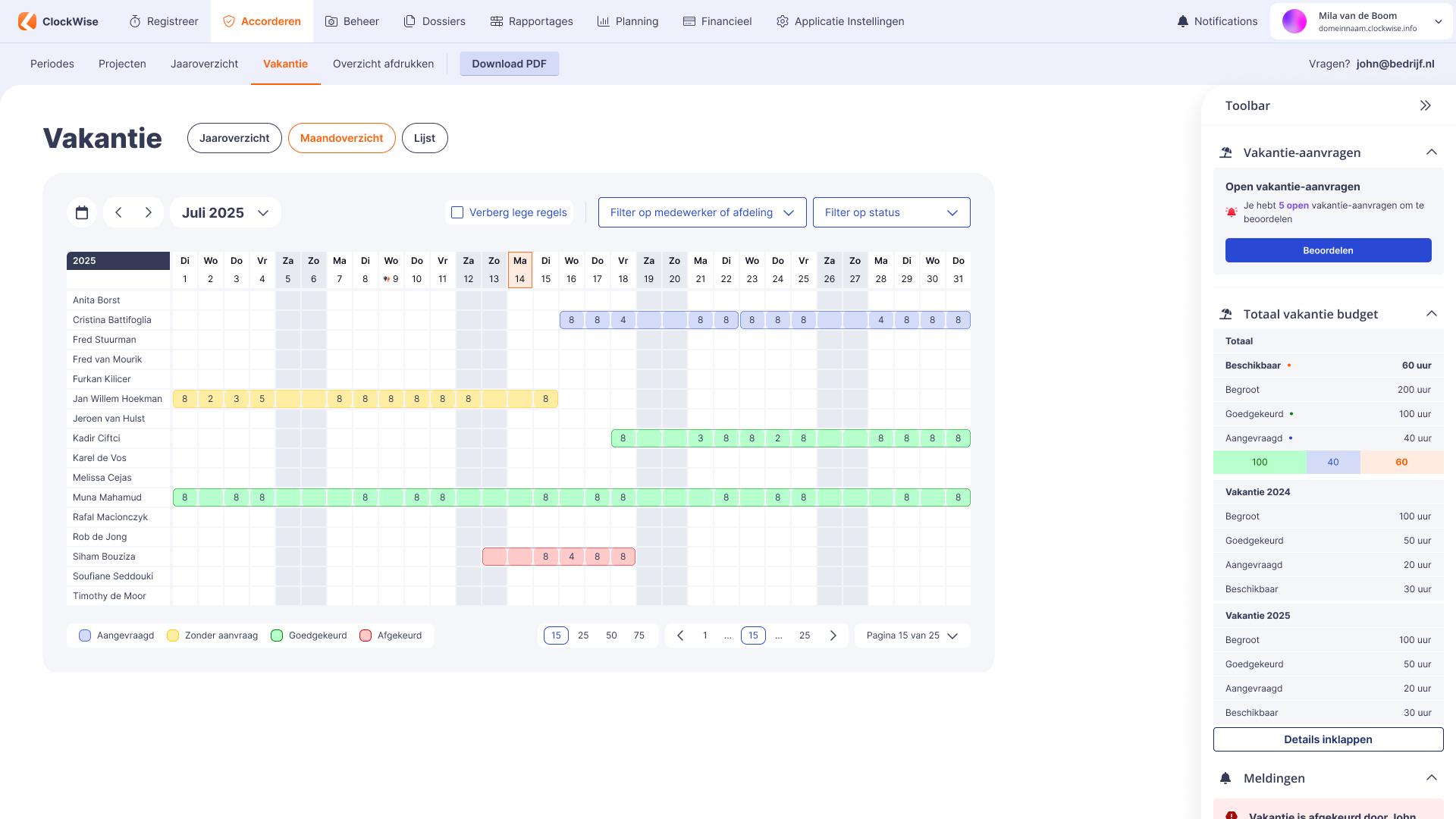
A visual display of the requests per month

Monthly overview

You can also view the overview per month in the monthly overview. A handy feature here is that you can approve or reject open requests directly by clicking on them.

Maandoverzicht van de vakantiekaart

List

Assess several requests at once

List

The list lets you assess several holidays at once. The display is less visual than the monthly and yearly overviews, but it is functional and practical to use.

Lijstweergave van de vakantiekaart
ClockWise app op een smartphone

You focus on your project, we do the rest.

With ClockWise you can focus fully on your projects, while we make sure the software runs smoothly. No worries about administration, technical hurdles or complicated processes. Need help or advice? Our service desk is happy to help. That way you save time, keep an overview and can work with peace of mind on what really matters: the success of your projects.

Ervaar zelf hoe prettig werken met goede service is

At ClockWise, you won't encounter queues or chatbots, but direct personal contact instead. Our service desk is available every business day, backed by 20+ years of experience in time tracking. And thanks to our SLA, you can be sure that issues are resolved within 24 hours.

Frequently asked questions

See if your answer is here

Am I required to keep a record of hours worked?

Yes. As an employer in the Netherlands you are required to record the hours your employees work. That is laid down in the Working Hours Act. The law is simply there to make sure people do not work too much and get enough rest. How exactly you keep those records is up to you, as long as your registration is clear and reliable. Discover here how ClockWise can help you keep a clear and correct record of hours.

Is switching to ClockWise complicated?

No, switching to ClockWise is simple. The system is easy to use and quick to understand, so you can get started without long or expensive implementation projects. We guide you through the setup where needed, so you can switch quickly and smoothly and work efficiently right away.

What service does ClockWise offer?

Our customer service is directly available by phone, by email or through the website. No ticket systems or endless waiting times, but a colleague who thinks along with you straight away. Whether your question is about settings, reports or invoicing, we are here for you. Many customers choose ClockWise precisely because of our personal approach and short lines.

Does ClockWise have a knowledge centre?

ClockWise has kenniscentrum.clockwise.info, where you can find answers to your questions about time tracking and the hours screen, the holiday card, the reports and the financial options in ClockWise. If you get stuck, you can always contact our service desk.

Does ClockWise have an API?

ClockWise has an API. It is accessible once you have a ClockWise subscription. With the API you can retrieve data for your dashboard, for example in Power BI or Qlik, or you can create projects and employees.

What does time tracking give me?

Time tracking offers many benefits. It gives insight not only into employee activity and productivity, but also into costs and the efficiency of your work processes. Time tracking is also important for assessing project status and returns, and it forms the basis for accurate invoicing. It also allows companies to improve their operational efficiency.

Why is time tracking important for R&D projects?

Do you work on innovative projects, or do you want to make use of subsidies such as the Dutch WBSO? Then good time tracking is often mandatory. The government wants to know exactly how much time is invested in research and development. By keeping your hours neatly, you can easily show that you meet the conditions. That way you avoid missing out on a subsidy and you always have insight into the effort within your R&D projects. Read more here about how ClockWise supports time tracking for the WBSO.

Can I use iDEAL payment links in my invoices?

Yes. With a Mollie account you can easily add iDEAL payment links to your invoices in ClockWise. Customers pay faster and you keep an overview. You connect it by entering your Mollie API key in ClockWise and setting the payment link as a default or per customer. Our team is of course happy to help you integrate this. See here how to add an iDEAL link to invoices.